Message sent — we'll be in touch within 48 hours.
BETA OPENING SOON

Route boards
with your finger.
Or your Pencil.

Project Aura is electronic design automation built for iPad from the ground up — full schematic capture and PCB layout, rendered natively at 120 fps, with zero cloud dependency. Your boards never leave the device.

PREVIEW

Real EDA on a real iPad.

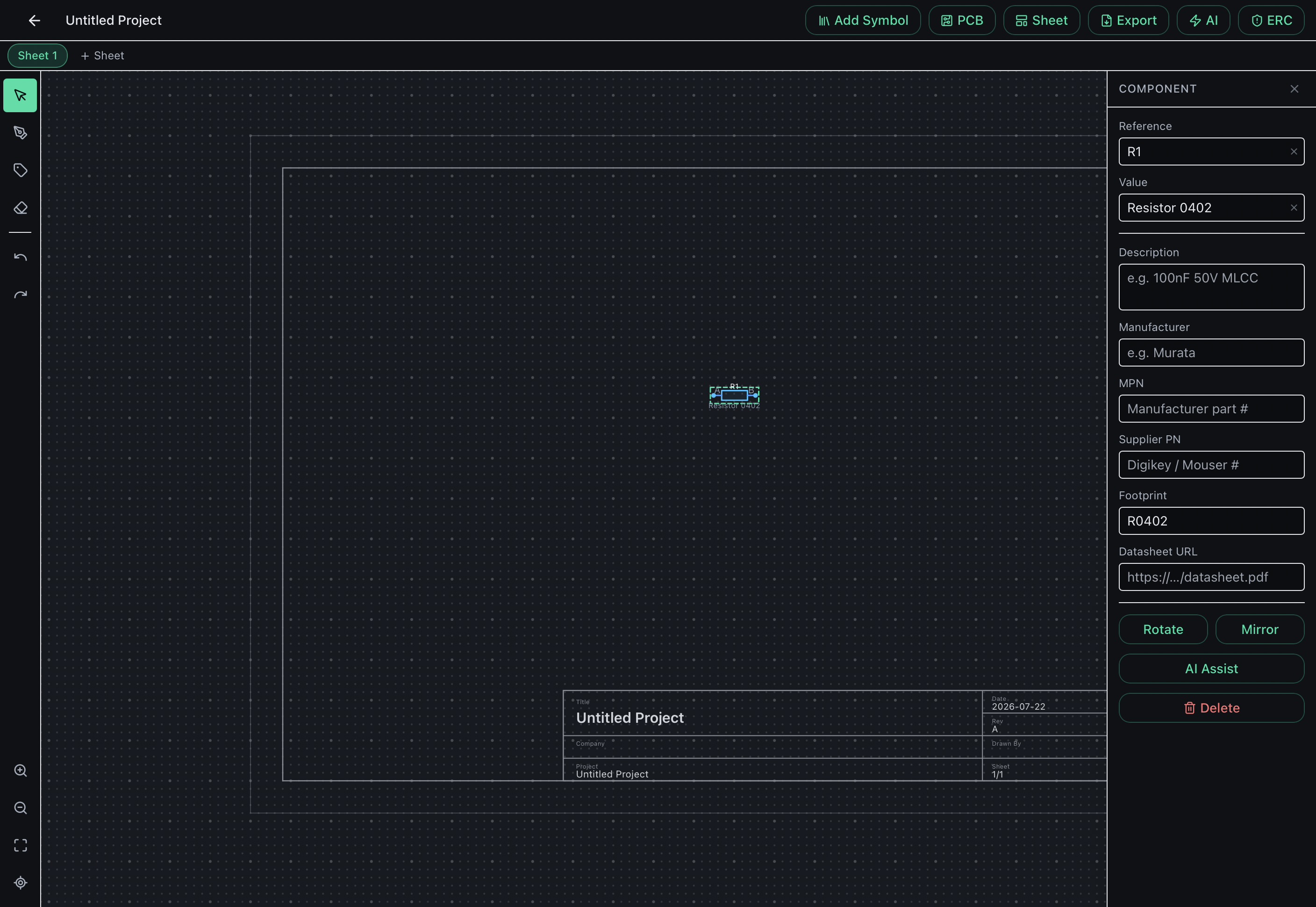
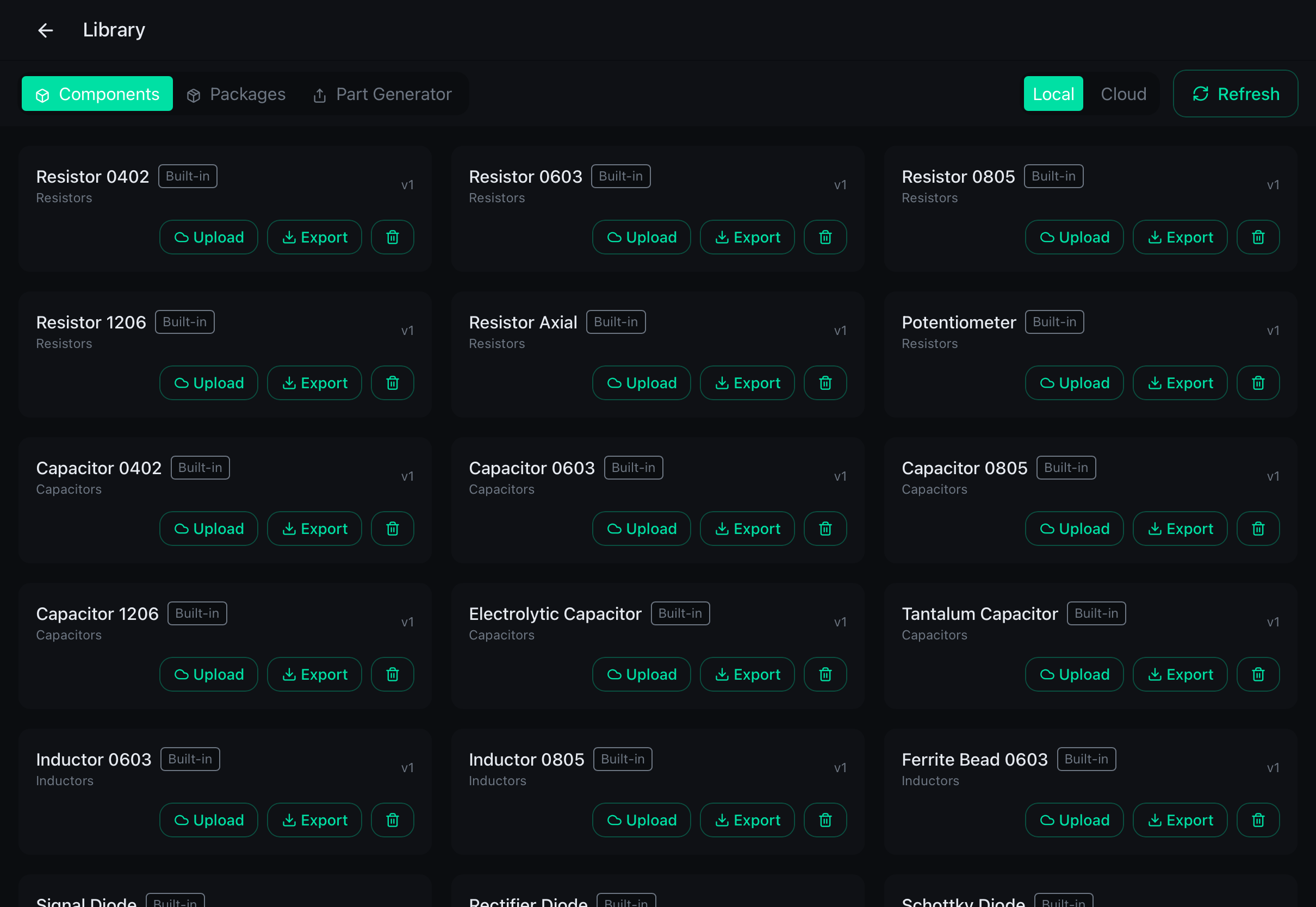
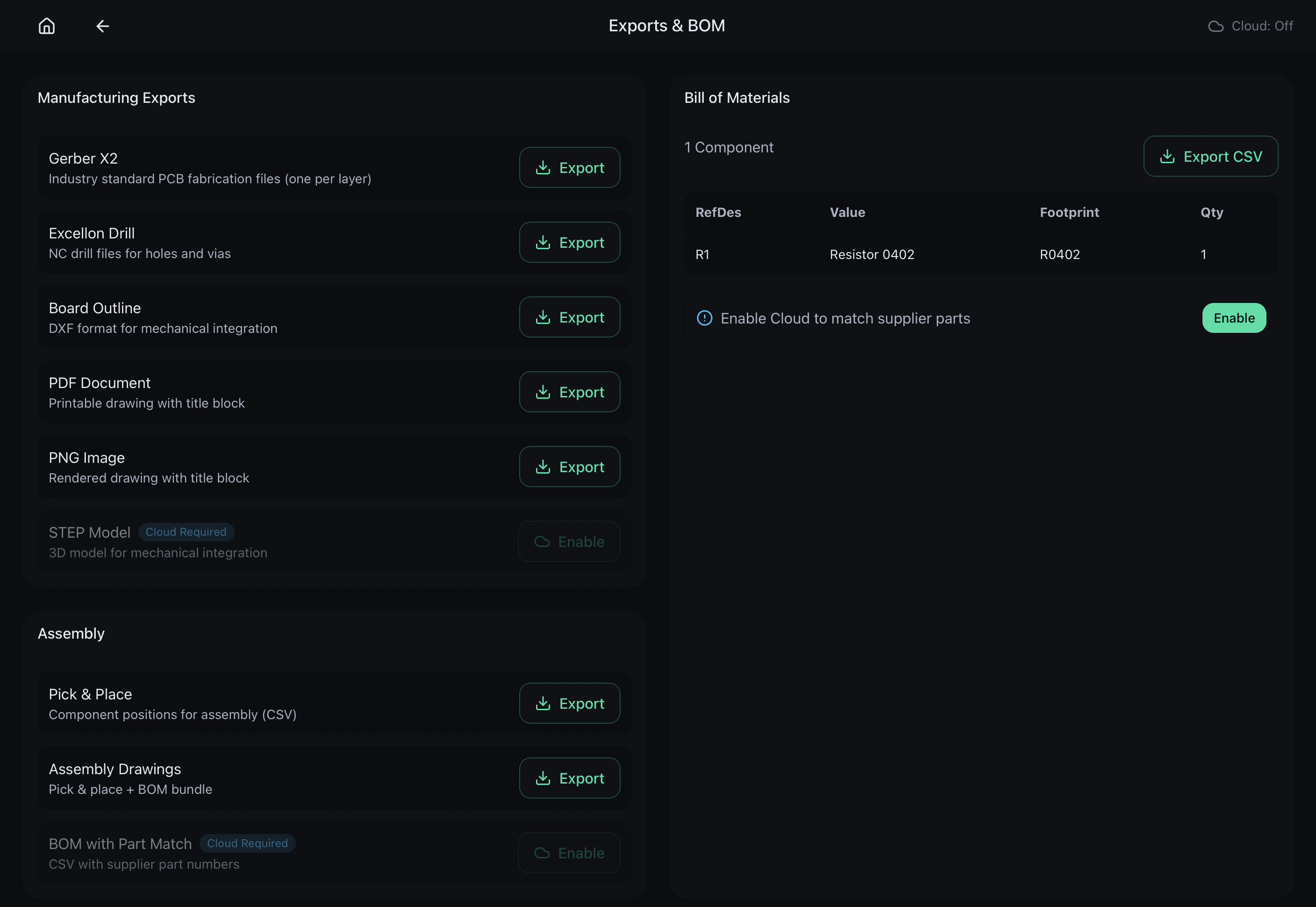
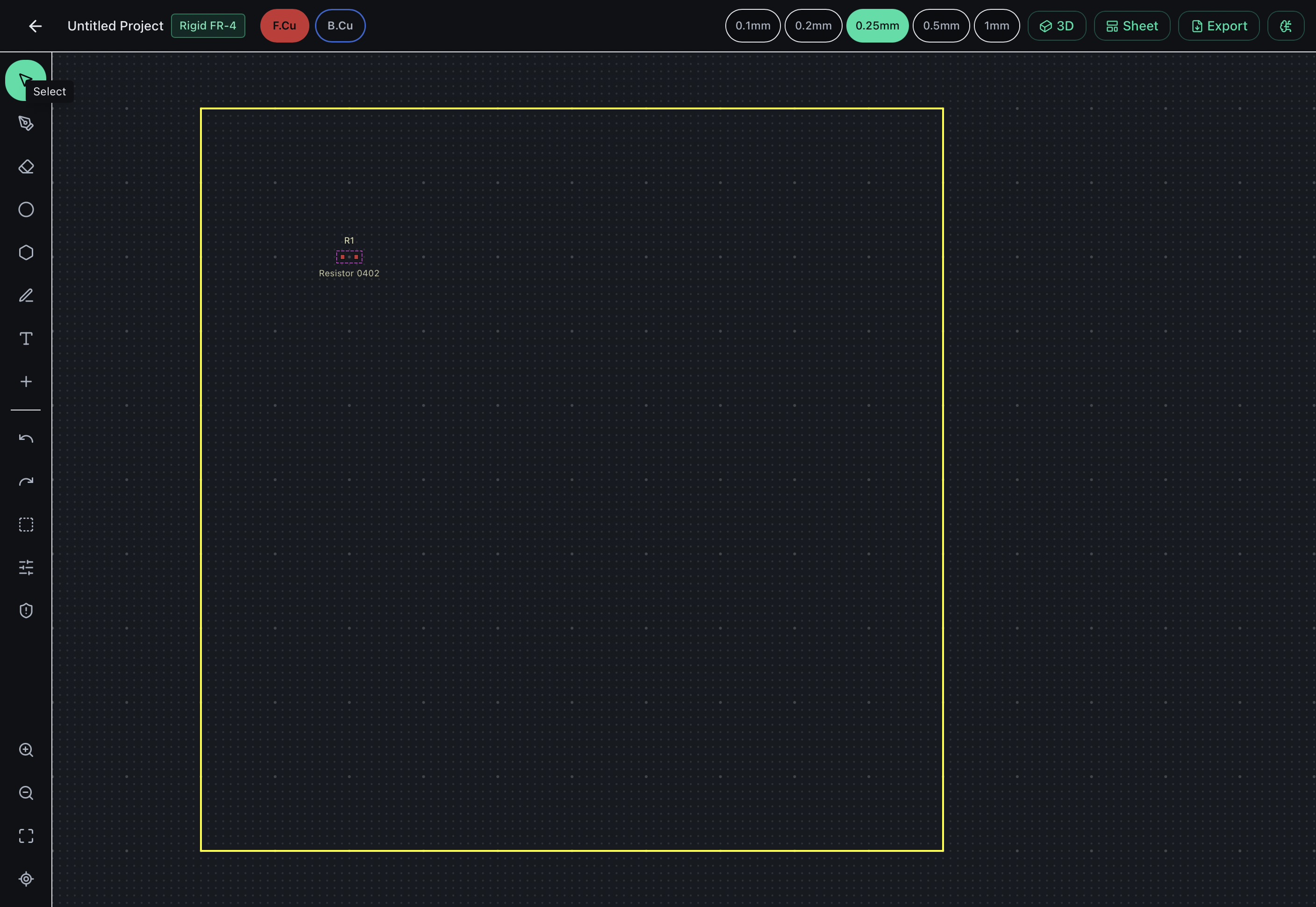
Swipe through the app — PCB layout, schematic capture, component library, and Gerber export.
4-Layer PCB stack-up
120fps Native canvas render
0 Cloud dependencies
Gerber Fab-ready export
Live DRC Design rule check
HOW IT WORKS

From first schematic to fab in three steps.

Aura mirrors the complete EDA workflow you already know — just built for the device you always have nearby.

01

Capture your schematic

Drag components from the built-in library onto the schematic canvas. Wire nets by connecting pins — Aura highlights valid connections as you draw and flags open nets and ERC violations in real time.

02

Place and route the board

Switch to PCB view and position your footprints. Route traces with Apple Pencil or your fingertip. Live DRC enforces clearance and width rules continuously — violations surface inline, not at the end.

03

Export and order

Generate industry-standard Gerber and Excellon drill files directly on-device. Share them to Files, AirDrop, or email straight to your fab. No laptop, no cloud upload, no waiting.

FEATURES

Everything a PCB tool needs. Nothing it doesn't.

Aura ships with the full EDA toolchain — not a watered-down preview. Schematic capture, multi-layer routing, DRC, and Gerber export are all here on day one.

Pencil-precise routing

Trace placement snaps to grid and net rules without losing the feel of freehand drawing. A hover preview shows clearance violations before you commit a line.

Full 4-layer stack

Top copper, inner planes, bottom copper, silkscreen, and soldermask layers — toggle visibility with one tap and preview the complete stack in 3D before generating Gerbers.

Live design rule check

DRC runs continuously as you route. Clearance errors, unconnected nets, and minimum trace-width violations are flagged inline — no separate run required.

Component library

Thousands of schematic symbols and PCB footprints built in. Import KiCad-compatible libraries (.kicad_sym / .kicad_mod) directly from Files — no conversion needed.

Gerber & drill export

Generates RS-274X Gerbers and Excellon drill files that every major fab accepts without modification. Export to Files, AirDrop, or share directly.

Nothing leaves the device

Every schematic, library, and layout is stored in the app's local sandbox. No cloud account or subscription is required to open the editor, run DRC, or export files.

LAYER STACK

Every layer, exactly where you need it.

SCHEMATIC Hierarchical schematic capture with net labels, power symbols, and bus wiring. ERC flags floating pins, missing power connections, and duplicate reference designators before you touch the board canvas.
TOP COPPER Primary routing layer for SMD pads and component-side traces. Set clearances per net class and watch DRC enforce them live as you draw each segment.
INNER PLANES Power and ground planes on inner layers with automatic copper pours and thermal reliefs. Up to 4 copper layers supported in the beta.
BOTTOM COPPER Bottom-side routing and through-hole pad lands. Flip the board view with a two-finger twist and route as if you were holding the real PCB in your hands.
MASK & SILK Reference designators, courtyard outlines, and fab notes on the silkscreen layer. Preview soldermask openings and 3D board appearance before generating your Gerber package.
FAQ

Questions, answered.

We're opening access in small cohorts to gather focused feedback before a wider rollout. Sign up above and you'll get an email the moment a spot opens. Early signups are prioritised.
The beta targets iPad Pro (M1 and later), iPad Air (M1 and later), and the 10th-generation iPad. Apple Pencil Pro and Pencil 2 are fully supported. Older iPads may run Aura but are not yet officially tested.
No. The schematic editor, PCB layout engine, DRC, and Gerber export all run entirely on-device with no network required. You only need connectivity to download the app and optional library updates.
KiCad symbol (.kicad_sym) and footprint (.kicad_mod) libraries import directly without conversion. Full .kicad_sch / .kicad_pcb file import and Eagle support are planned features on the post-beta roadmap.
Never automatically. All project files live in Aura's local app container. You can manually export to iCloud Drive, Files, or AirDrop any time — but nothing is transmitted without your explicit action.
Pricing is not finalised, but we're targeting a one-time purchase with no subscription required for core design functionality. Beta testers will receive a meaningful discount when the full app ships.
GET IN TOUCH

Request beta access or ask us anything.

Whether you want early access, have a feature request, or just want to talk EDA — send a message and we'll get back to you.

Selected beta testers receive a full paid licence key at no cost when Aura launches.
Typically respond within 48 hours